
QuickComps Puts Real Sold Comps Inside Your Whatnot Stream, and It’s a Bidder’s Best Friend
The Chrome extension scans slabs and raw cards right off a live auction and pulls market data before the timer hits zero. Card Ladder is doing the heavy lifting on the slab side.
You know the moment. A slab pops up on a Whatnot stream, the host is hyping, chat is going wild, and the timer is ticking down fast. You’ve got a few seconds to decide if this is a steal or a trap. So you fumble for your phone, open a new tab, type the card name wrong twice, and by the time the comps load, the auction is over.
QuickComps is built for exactly that moment. Its promise is right there in the headline on its site: stop overpaying during live auctions. After digging into how it works, we think it just might deliver.
Comps at the speed of live
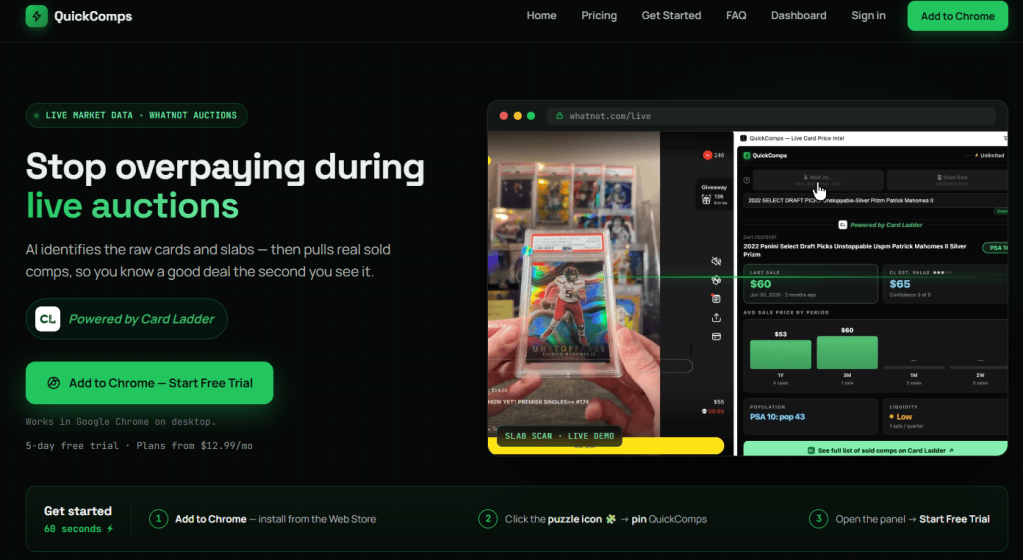
QuickComps is a Chrome extension that runs in a side panel next to your Whatnot stream. When a card hits the screen, you click Scan. AI identifies the card, and the panel fills with real sold comps. That’s the whole trick, and it’s a good one.
The data comes from names collectors already trust. Slab comps are powered by Card Ladder. Raw card pricing draws on eBay and TCGplayer sales history.
The audience is anyone who buys on live breaks and auctions. That covers sports card collectors hunting graded slabs, Pokémon fans chasing raw pulls, and TCG players across Magic, One Piece, Lorcana, Dragon Ball Z, and more. If you’ve ever wondered whether chat is bidding with its head or its heart, this is your reality check.
The feature tour
Slab scanning across sports and TCGs
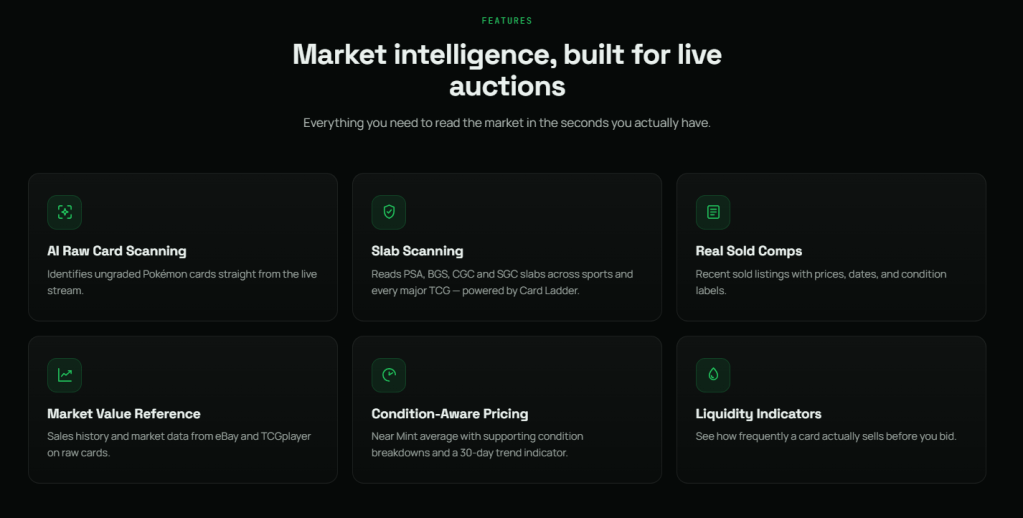
This is the main event. QuickComps reads PSA, BGS, CGC, and SGC slabs straight off the stream, covering sports cards and every major TCG. Because the slab side is powered by Card Ladder, the numbers come from a source a lot of the hobby already leans on.
Raw card scanning (Pokémon, for now)
Raw cards are harder, since there’s no label to read. QuickComps handles ungraded Pokémon cards, both English and Japanese, and identifies them right from the live video. Raw comps pull from eBay and TCGplayer, with a Near Mint average, condition breakdowns, and a 30-day trend indicator.
One panel, the whole market
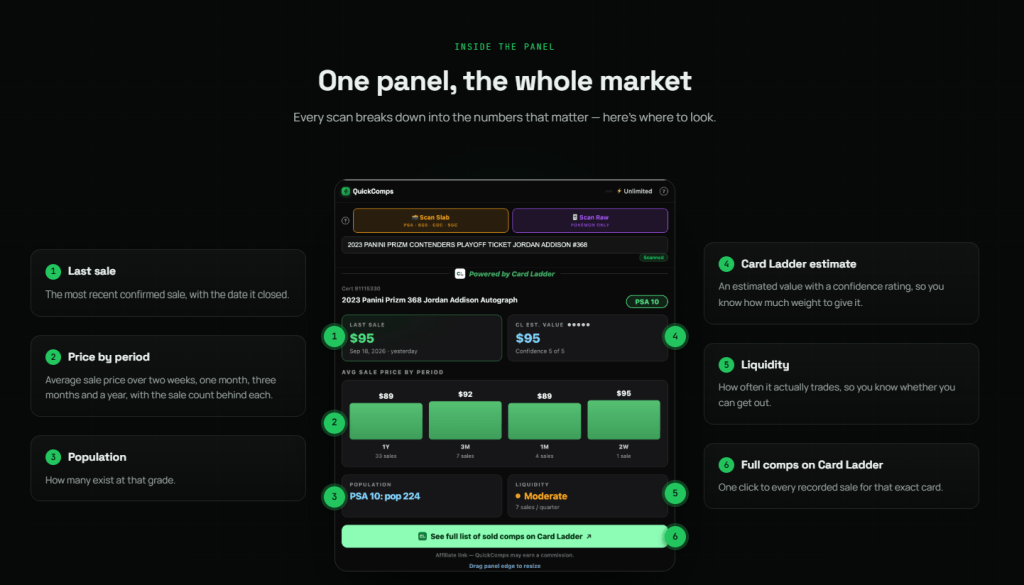
Every scan lands in a single side panel, and it’s thoughtfully laid out. Here’s what you get:
- Last sale, with the date it closed.
- Price by period, showing the average sale over two weeks, one month, three months, and a year, plus how many sales sit behind each number.
- Population, so you know how many exist at that grade.
- A Card Ladder estimate, paired with a confidence rating.
- Liquidity, showing how often the card actually trades.
- One-click access to every recorded sale for that exact card on Card Ladder.
Setup takes about a minute
Getting started is refreshingly painless. Install it from the Chrome Web Store, pin it from the puzzle-piece menu, open the panel, and start the free trial. The team says the whole process takes about 60 seconds, and honestly, that tracks.
What we love
It meets you where you’re already bidding
Most comp tools make you leave the action to go look something up. QuickComps flips that around. The data comes to the stream, so you never lose your spot in the auction. For live bidding, where seconds really matter, that’s the whole ballgame.
The liquidity signal is underrated
Price gets all the attention, but liquidity is the metric smart buyers quietly obsess over. A card that looks cheap is only a deal if you can actually move it later. Putting trade frequency right next to the comps nudges buyers toward thinking like investors, and we’re big fans of that.
It’s honest about its own confidence
The Card Ladder estimate comes with a confidence rating, and every price period shows its sale count. That’s a small design choice with a big payoff. A strong average backed by a handful of sales tells a very different story than one backed by dozens, and QuickComps lets you see the difference.
Fair pricing mechanics
Plans are tiered by daily scan volume, from casual stream-watchers up to heavy-volume nights, and every tier starts with a five-day free trial. Our favorite detail: scans only count when a card is successfully identified. Failed scans are free. That’s the kind of customer-first policy we like to see.
Good to know
QuickComps runs in Google Chrome on desktop, and it’s built for Whatnot live auctions. If you mostly watch streams on your phone, the site will email you an install link so you can set it up once you’re back at your desk. Raw scanning currently covers Pokémon, while slab scanning spans sports and the major TCGs.
The bottom line
QuickComps nails a very specific problem, and it nails it well. Live auctions reward speed, and speed is exactly where overpaying happens. By putting Card Ladder slab data, raw comps, population, and liquidity in one panel beside the stream, QuickComps gives buyers a fighting chance to bid with their heads instead of their adrenaline.
If Whatnot is part of your buying routine, this one is an easy add. Grab the extension, start the free trial, and see how your next stream feels with the comps already on screen.






Leave a comment