
A phone scan, a quick ratio readout, and a question every flipper asks: is this card even worth submitting?
You can buy the perfect rookie, nail the surface, protect the corners, and still watch a grade slip because the image sits a hair too far left. Centering is the quiet grade-killer of the hobby, and it is one of the few things you can check yourself before you spend a dime on grading.
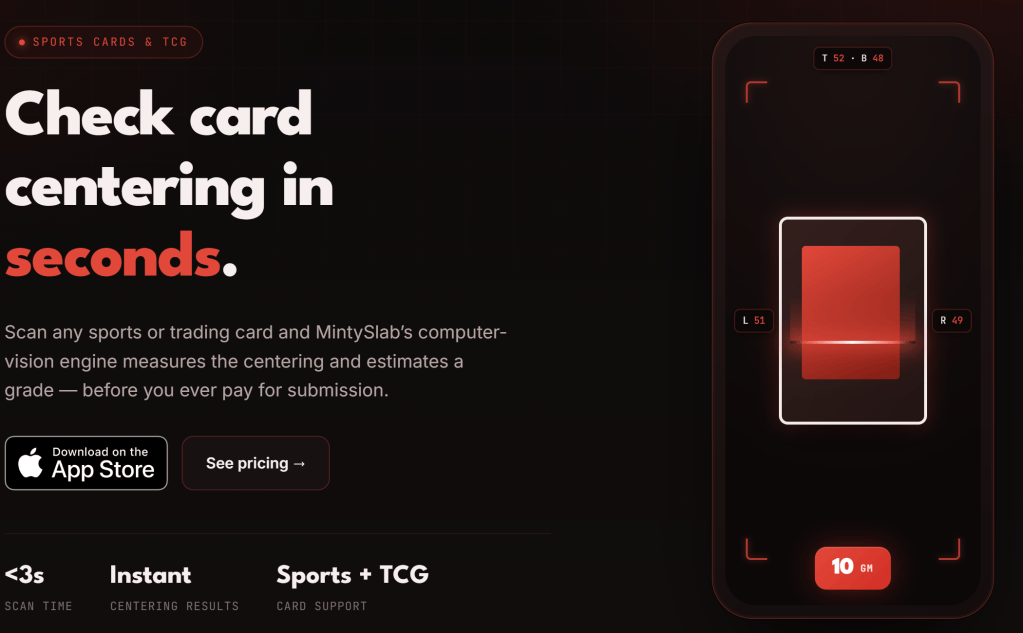
MintySlab is an iPhone app built to do exactly that. Point your camera at a card, and it measures the borders and tells you how centered the card really is. It is a small tool with a narrow job, and that focus is the whole appeal.
What it does
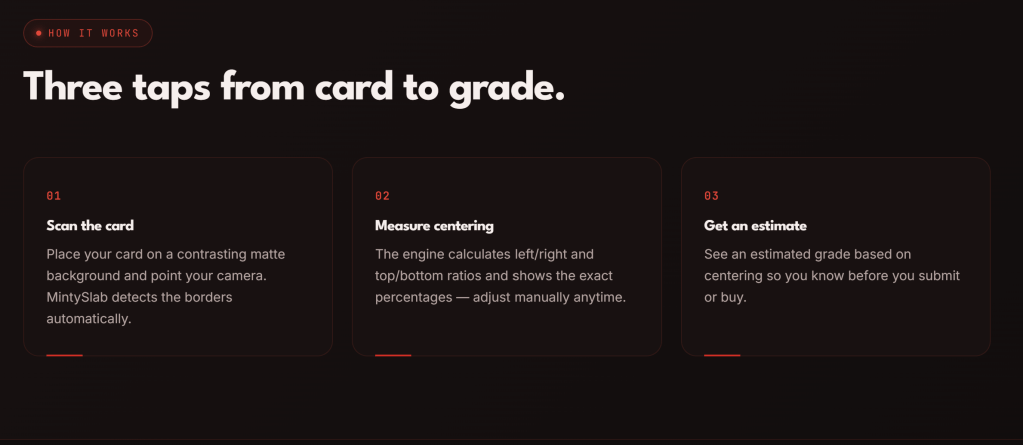
Here is the flow, per the company’s site. Lay the card on a matte background that contrasts with its border. Frame it with your camera. The app detects the card edges, calculates the left/right and top/bottom ratios, and shows them as percentages. If the auto-detected edges are off, you can drag them into place by hand. Then it gives you an estimated grade based on centering.
The company describes scans as taking under three seconds. That is its own claim, with no date or testing method attached, so treat it as a speed brag, not a benchmark.
There is also a buying-side trick. With the optional MintySlab+ subscription, you can scan photos from an eBay listing to check centering before you buy, and upload images from your camera roll. The same upgrade removes ads. Per the App Store listing and FAQ (viewed Oct 19, 2026), the app itself is free to download.
It works on cards with a defined border, so sports cards and trading card game cards are both fair game. The site also hosts a handful of short guides on centering basics and grading standards, which is a nice touch for newer collectors.
What works
It does one thing. There is no portfolio, no marketplace, no social feed. You open it, scan, and get an answer. For a pre-grading sanity check at a card show table or on your kitchen counter, that speed matters.
Manual edge adjustment is the right call. Computer vision gets confused by foil borders, dark edges, and glare. Letting you fix the edges yourself keeps one bad detection from ruining the reading.
The eBay angle is clever. Most pre-grade tools help you after you own the card. Checking a listing’s centering before you click buy flips that logic, and for raw card hunters it could save real money on cards that look great in a thumbnail and mediocre in the grader’s hands.
Free to start. You can try the core scan without paying, which lowers the barrier to seeing whether the tool fits how you collect.
Good to know
A few real caveats, and a clear “not for you” list.
- iPhone only for now. The company says the app is available only on the App Store “at this time” (site FAQ, viewed Oct 19, 2026). Android and web users are out of luck.
- Centering is not the whole grade. The estimate is based on centering alone. It will not see a dinged corner, a surface scratch, or a print line. Treat the result as one input, not a prediction.
- Edges matter. The company says detection works best on cards with clear, well-defined borders, and that its algorithms are still being improved. Expect to adjust by hand on tricky cards.
- Ads in the free version. The free tier shows ads, and the App Store listing includes at least one user complaint about ads crowding the controls (viewed Oct 19, 2026). Removing them takes the subscription.
- Check the privacy details. Apple’s privacy summary for the app lists data used for tracking and third-party advertising, and notes it is unverified. The FAQ does not say how your photos are handled. Read the privacy policy before you scan anything you consider sensitive.
- Not for you if you want comps, pricing, portfolio tracking, or a full AI grade that evaluates corners, edges, and surface. This is a centering tool, not a pricing platform or a complete pre-grader.
Who it’s for
Flippers and submitters. If you are choosing which raws to send in, a fast centering check helps you cull the cards that were never going to make the grade you are paying for.
Raw card buyers. The eBay scan feature is aimed at you. Screening listings for centering before you bid or buy is a smart habit.
Newer collectors. The guides and instant ratios are a gentle way to learn what graders look for and to see centering with your own eyes instead of squinting at a card.
Bottom line
MintySlab is not trying to be your whole hobby stack, and that is why it works as a quick, low-friction check. It answers one question fast and leaves the rest to you and the grader.
Verdict: a handy free download for iPhone users who grade or buy raw cards. Just remember that centering is only one piece of the grade.
Visit MintySlab today: https://mintyslab.com/





Leave a Reply